

Our reps used to spend their mornings hopping between four tools to work out who to call. Now they ask one question and get a ranked, ready-to-act answer from live Albacross and CRM data. Here are the nine prompts doing the heavy lifting.
Every sales morning used to start the same way. Open Albacross to see who visited the website. Open the CRM to check who owns the account. Open Gmail to find out when anyone last spoke to them. Open Drive to dig up the playbook. Four tabs, a spreadsheet, a lot of copy and paste, and the coffee has gone cold before the first call.
Now our team starts with a question instead. They type it into Claude, and Claude goes and gets the answer from live Albacross visitor data, our CRM, Gmail and Drive. No exports. No filters. No tab gymnastics. Just a plain-language answer that tells you who to call, why, and what to say.
Below are the exact prompts our reps use, grouped by the three jobs Claude has taken off their plate. Every one works as written. Swap in your own company, domain or list, and steal the lot.
Think of it as a concierge, not a dashboard
A dashboard is a map. It shows you everything and leaves the route up to you. Claude with the Albacross MCP works more like a hotel concierge who already knows every guest.
Albacross is the front door. It sees which companies walk in, which rooms they wander into and how long they stay. Your CRM is the guest list. It knows who is a regular, who is new, and which colleague is their host. Gmail and Drive are the concierge's notebook: every past conversation and every house rule.
Claude stands in the middle of all of it. Ask who deserves your time today and it doesn't hand you the guest book. It leans in and says: the operations team from a mid-sized logistics firm came by three times this week, spent most of it on the pricing page, and nobody has called them yet. Want me to draft the intro?
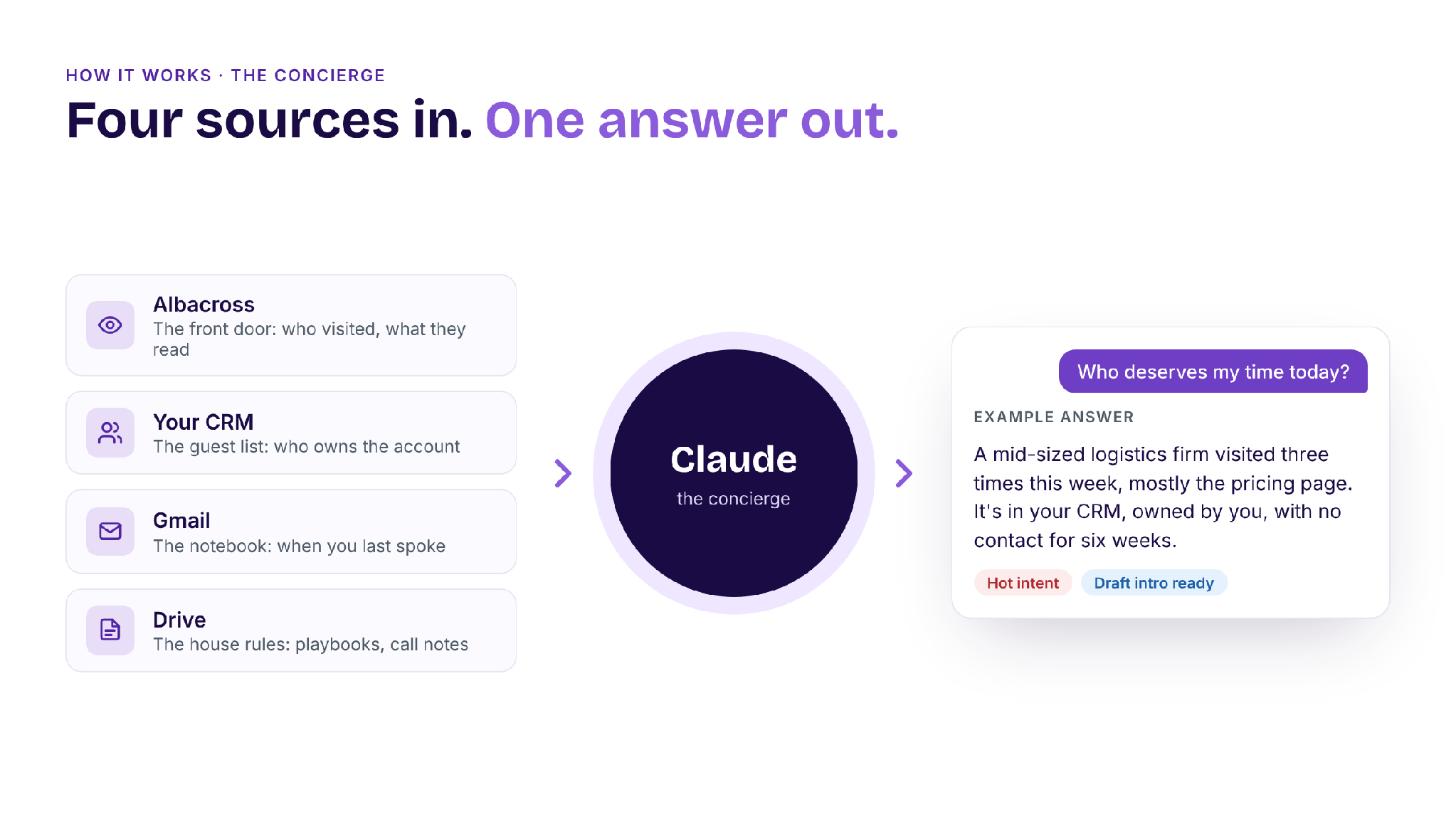
Four sources go in, one useful answer comes out. Illustration; no real accounts shown.
JOB 1
Prospecting: who should I call today?
Raw visitor lists are noisy. Your own customers show up. So do partners, competitors, suppliers and internet providers. These three prompts cut straight through to the companies that are actually shopping.
01 "Which companies visited our website this week, and what did they look at?"
Ranked by intent, with the pages each company read. Customers, partners, competitors, suppliers, internet providers and anyone marked not interesting are filtered out before you see a single row.
02 "Is this visitor already in our CRM, and who owns it?"
Matched by domain, with a flag when a domain matches no record or several. Two reps unknowingly calling the same account becomes a story you tell new hires.
03 "Show me the pricing-page visitors that nobody has contacted yet."
Visit activity meets the CRM's last-contact data. If you run only one prompt on Monday morning, make it this one. It's a list of warm buyers waiting for someone to say hello.
JOB 2
Deal prep: what do I need to know before the call?
Good reps prep. Great reps prep without burning half an hour doing it. These prompts turn scattered history into a briefing you can read on the way to the meeting.
04 "Where does our CRM say [company] stands?"
Stage, owner, list, the last email or meeting, and a summary of the notes. The whole account story in one paragraph.
05 "Give me a one-pager on this account before my call."
Product usage, website visits and CRM history, side by side. Walk in knowing what they read last Tuesday and what they promised on the last call.
06 "What's in the pipeline, and which deals have gone quiet?"
A quiet deal isn't a lost deal. It is, however, the first one to chase, and Claude puts it at the top of your list before it slips any further.
JOB 3
Reporting and handoffs: who needs to know?
An insight is only worth something once it reaches the right person. Claude handles the last mile, so the good stuff doesn't die in a chat window.
07 "Email [colleague] a summary of this."
Ask in the thread and a clean recap lands in your teammate's inbox. Handoffs without the hand-wringing.
08 "Draft an outreach email to [contact] in Gmail."
Written with the account's context baked in and saved as a draft. You read it, tweak it, and you hit send. Nothing goes out to a customer or prospect without you.
09 "Find our playbook and call notes on [topic] in Drive."
Claude reads your Drive files for context, so its answers and drafts sound like your team, not like a template.
Another way to see it: the same morning, twice
If the concierge doesn't land, picture the difference between a scavenger hunt and a briefing.
Before, the scavenger hunt: export the visitor list. Filter out customers and competitors by hand. Look up every domain in the CRM. Check the inbox for the last touch. Hunt through Drive for the playbook. Then, finally, pick up the phone.
After, the briefing: ask one question. Get a ranked list with owners, the pages each company read and when you last spoke, plus a draft intro for the warmest one. Pick up the phone.
The research doesn't disappear. Claude still does every one of those steps. It just does them in seconds, every time, without getting bored on step four.
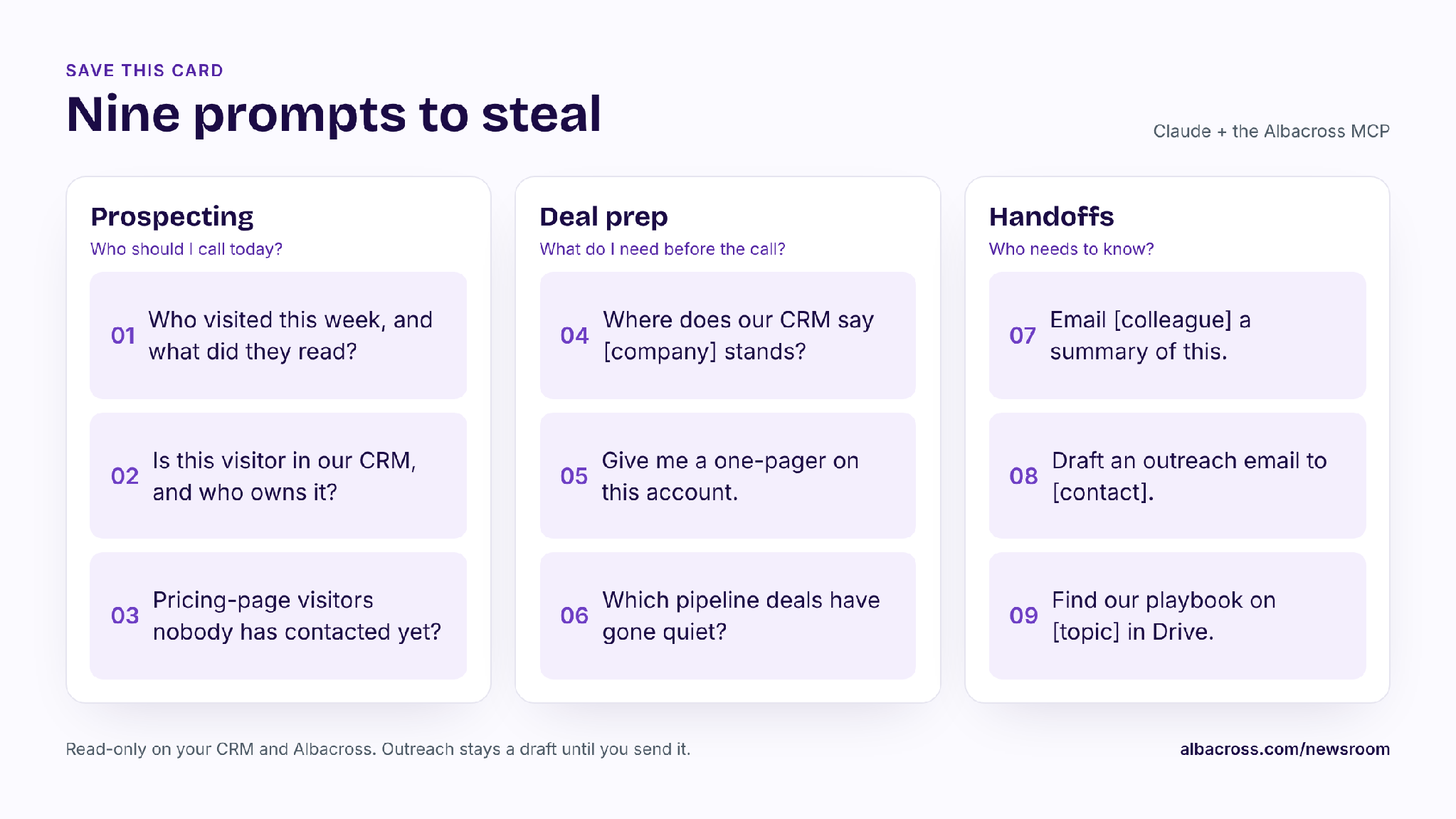
All nine prompts on one card. Screenshot it, pin it, share it with your team.
Read-only, on purpose
Claude reads from Albacross and your CRM. It doesn't write to them. If it spots a wrong owner or a stale deal stage, it writes the update out for a person to make. Your data stays clean, and a human stays in charge of every change.
Getting better answers
- Name the time window. "This week" and "the last 30 days" give sharper lists than no window at all.
- Say whose accounts you mean. "My accounts" or "the Nordics" keeps the answer on your patch.
- Ask for the shape you want. "As a table", "top five only" or "one line each" all work.
- Keep the conversation going. "Why that one?" is one of the best second questions you can ask.
Wanna see it in action?
Book a 30-minute demo and we'll run these prompts on your own website traffic, live.
Oleksii Kosenko
Senior Manager, CS and RevOps at Albacross. Works with Albacross customers every day on turning visitor data into pipeline, and asks Claude more questions than anyone else in the office.

Oleksii Kosenko
CS and RevOps

 Overview only the features needed for your use case
- Show how to adapt it to your customer qualification process


