

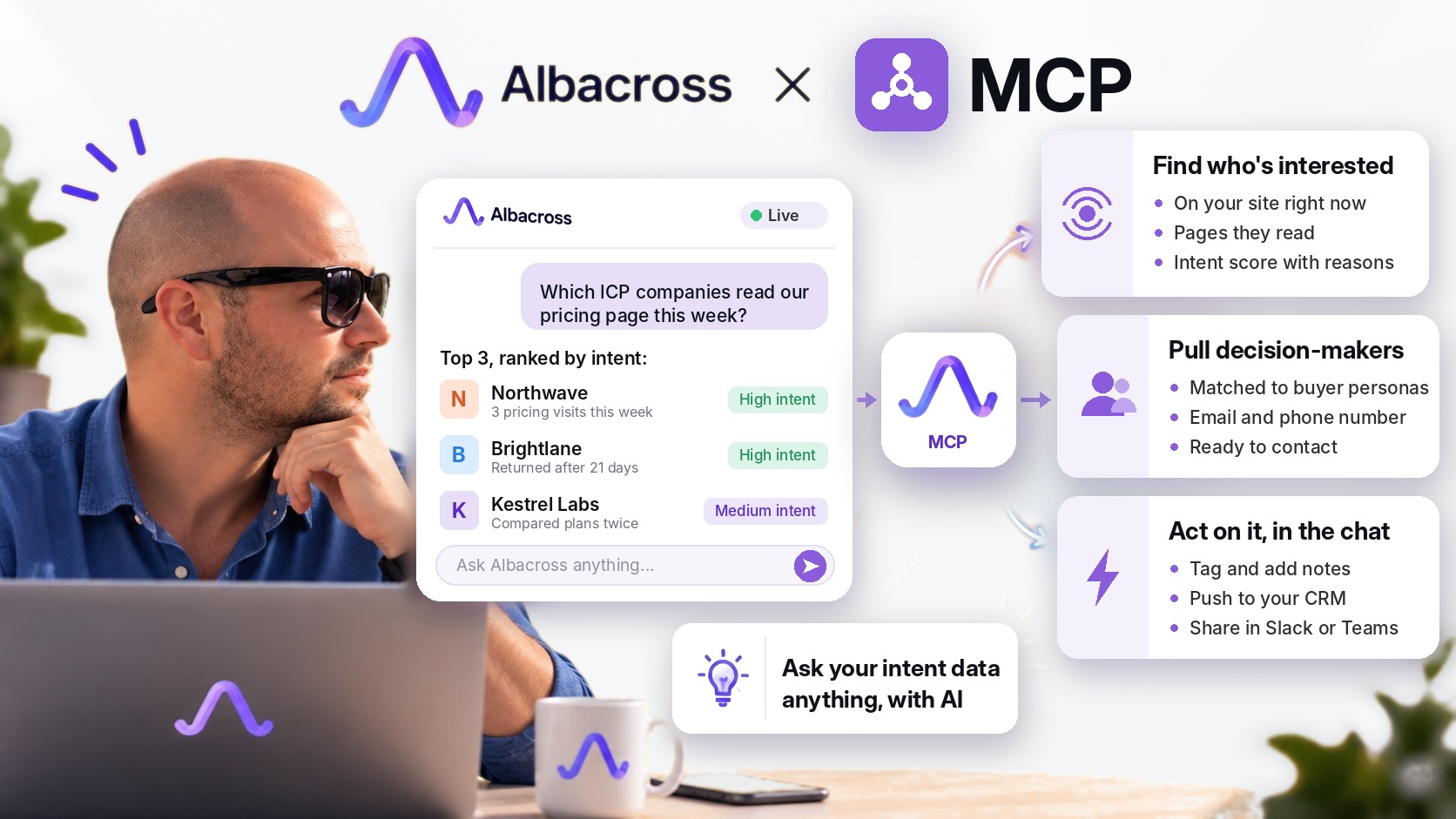
The Albacross MCP connects your AI assistant straight to your intent data, so "who should I call this morning?" gets a ranked answer in seconds.
In 5 Sales Plays Orchestrated by Claude, Attio and Slack, we showed how Claude can run the Albacross rules of thumb for a whole team. In My Morning Call List, I shared the setup I use myself. And in Intent Data Is the Key, we argued that the CRM is your infrastructure, Claude is your orchestration, and Albacross is your prioritization.
At the end of that last post I promised the loop would get tighter. This is that post.
The signal is the same. What changes is how fast you can get to it: no exports, no tabs, no waiting for a list. Just a question.
What the Albacross MCP is
MCP stands for Model Context Protocol. It's the open standard AI assistants use to talk to other software. Connect an MCP server, and your assistant can read from that tool and act in it, inside the chat.
The Albacross MCP gives your assistant the same view you have in the Albacross app:
- Companies on your site: who visited, how often, how long, and from which source.
- Page-level intent: which pricing, product or comparison pages they read, with the reasons behind every intent score.
- Live activity: which companies are on your website right now, and what page they're on.
- Segments, tags and notes: your ICPs and lists, ready to filter, create and update.
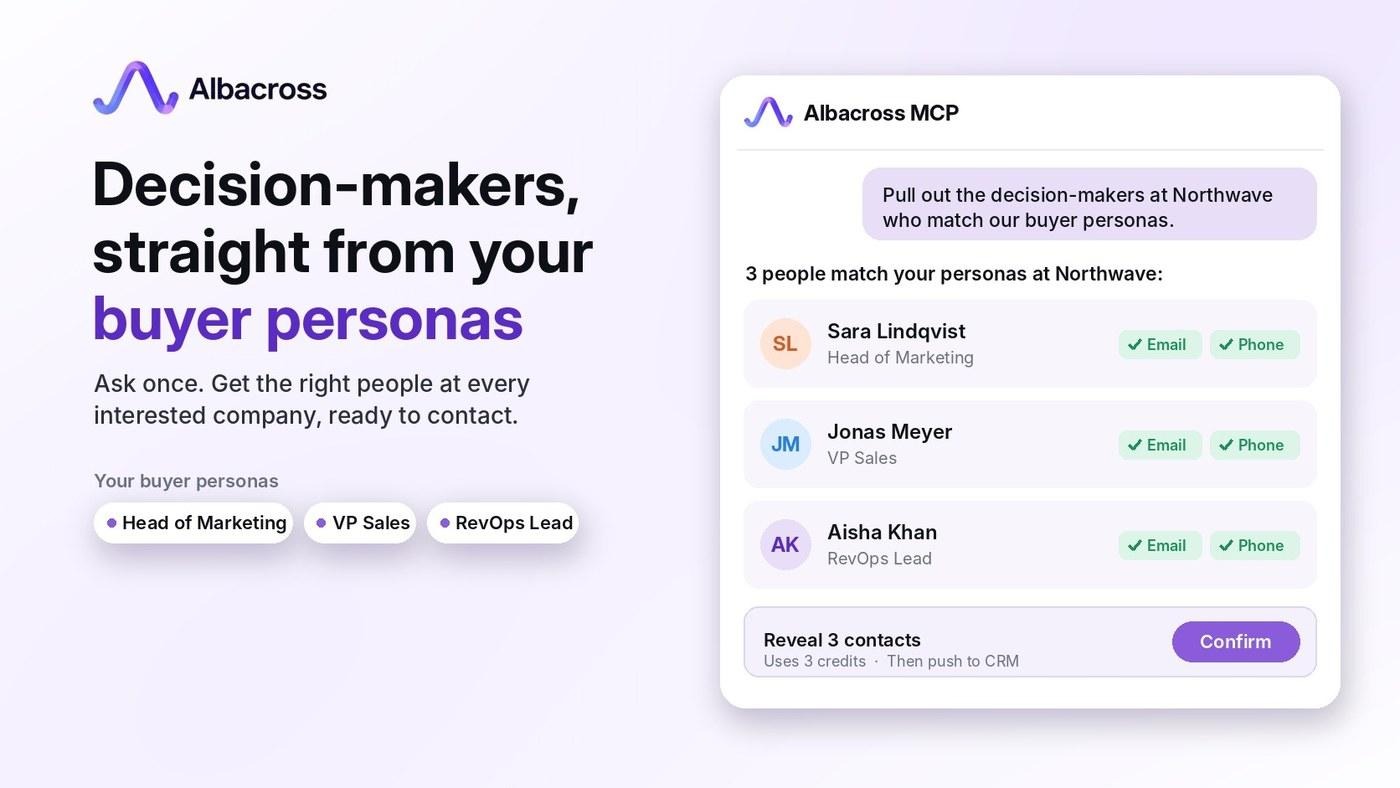
- People: pull out the decision-makers at any company straight from your buyer personas, with their email and phone number, ready to contact.
- Your integrations: push an account to your CRM or share it in Slack or Teams.
It works with Claude and ChatGPT, and with other assistants that support MCP.
Same data, same intent scores, same rules as the app. The only thing that's new is that you can talk to it.
What you can ask
The best way to understand it is to see the questions. Here are the ones I expect to use most, grouped by the job they do.
Find out who's interested
- "Which companies visited us this week, largest first?"
- "Which companies are on our site right now?"
- "Which pages did yesterday's visiting companies view most?"
Decide who to call
- "Show this week's most engaged ICP-fit companies that nobody has contacted in 30 days."
- "Which companies with 200 to 1,000 employees read our pricing page in the last 14 days?"
- "Which ICP-fit companies came from LinkedIn last month, and what did they read?"
Prepare for the call
- "Brief me on this company before my 2pm call: profile, tech stack and what they read."
- "Who are the marketing decision-makers at this company, and which of our personas do they fit?"
- "Pull out the contacts for everyone at this company who matches our Head of Marketing persona, with email and phone."
Act on it
- "Tag every company that read pricing this week as Hot."
- "Add a note on this account: called Monday, follow up in two weeks."
- "Push this account to HubSpot and share it in #sales."
Write the outreach
- "Draft a 4-step email and LinkedIn cadence for this account based on what they read, then email it to me."
Every answer comes with the reasons. Ask why a company ranks first, and you'll hear something like "three pricing page views, returning after 21 days", not just a number.
You don't need to know where anything lives in the app. You need to know what you want to find out.
My morning, now one conversation
In the last post, the morning loop had five steps: Albacross ranks, Claude checks, Claude prepares, Slack delivers, the CRM remembers. All five still happen. The difference is that I can now run them myself, in one chat, before my first coffee.
Here's what that looks like:
- I ask: "Who are the top ICP-fit companies from the last 24 hours, and who's on the site right now?"
- Albacross answers with a ranked list and the reason for each rank. Today's top account read pricing twice and came back after three weeks.
- Claude checks the CRM. With Attio connected as well, it confirms they're not a customer and nobody has spoken to them in eight months.
- I ask for the people. Albacross pulls out the decision-makers at that company who match our buyer personas, with their email and phone number.
- I ask for a brief and a cadence. Claude drafts a short opener and a four-step follow-up based on the pages they read, and emails it to me.
- I act. One more line tags the account, pushes it to the CRM and shares it in our sales channel.
The scheduled list in Slack is still how my team starts the day. The MCP is what I use when I want to go deeper on one account, or ask a question nobody built a report for.
Automations answer the questions you planned for. The MCP answers the ones you think of at 8:45 on a Tuesday.
How to connect
It takes about two minutes, and it's included in every paid plan and trial.
- Open your assistant's connectors. In Claude or ChatGPT, find Albacross in the directory, or add it by URL: https://mcp.albacross.com/mcp
- Sign in with Albacross. Pick your workspace and choose what to share.
- Ask your first question. Try "Which companies visited us this week, and what did they read?"
On a Claude Team or Enterprise plan, your org owner adds Albacross once, and everyone else connects with their own login. You'll find connected assistants, and can remove them at any time, under Integrations → AI assistants in Albacross.
Final thoughts
Over the last few posts, we built the case one layer at a time:
- The CRM remembers everything.
- Claude does the work between tools.
- Albacross tells you whom to contact, and when.
The MCP doesn't add a fourth layer. It removes the distance between them. The signal that used to wait in a dashboard, or in tomorrow morning's list, is now one question away.
You already know which accounts you'd like to understand better. Now you can just ask.
Intent data is still the key. The MCP means you never have to go looking for it.
Want to see the Albacross MCP on your own data? Book a demo and we'll connect it to Claude or ChatGPT with you, and run your first morning brief together.
P.S. Not all features mentioned on the article are yet available for our customers via the MCP connector but they will be coming within further iterations.

Oleksii Kosenko
CS and RevOps

 Overview only the features needed for your use case
- Show how to adapt it to your customer qualification process


