

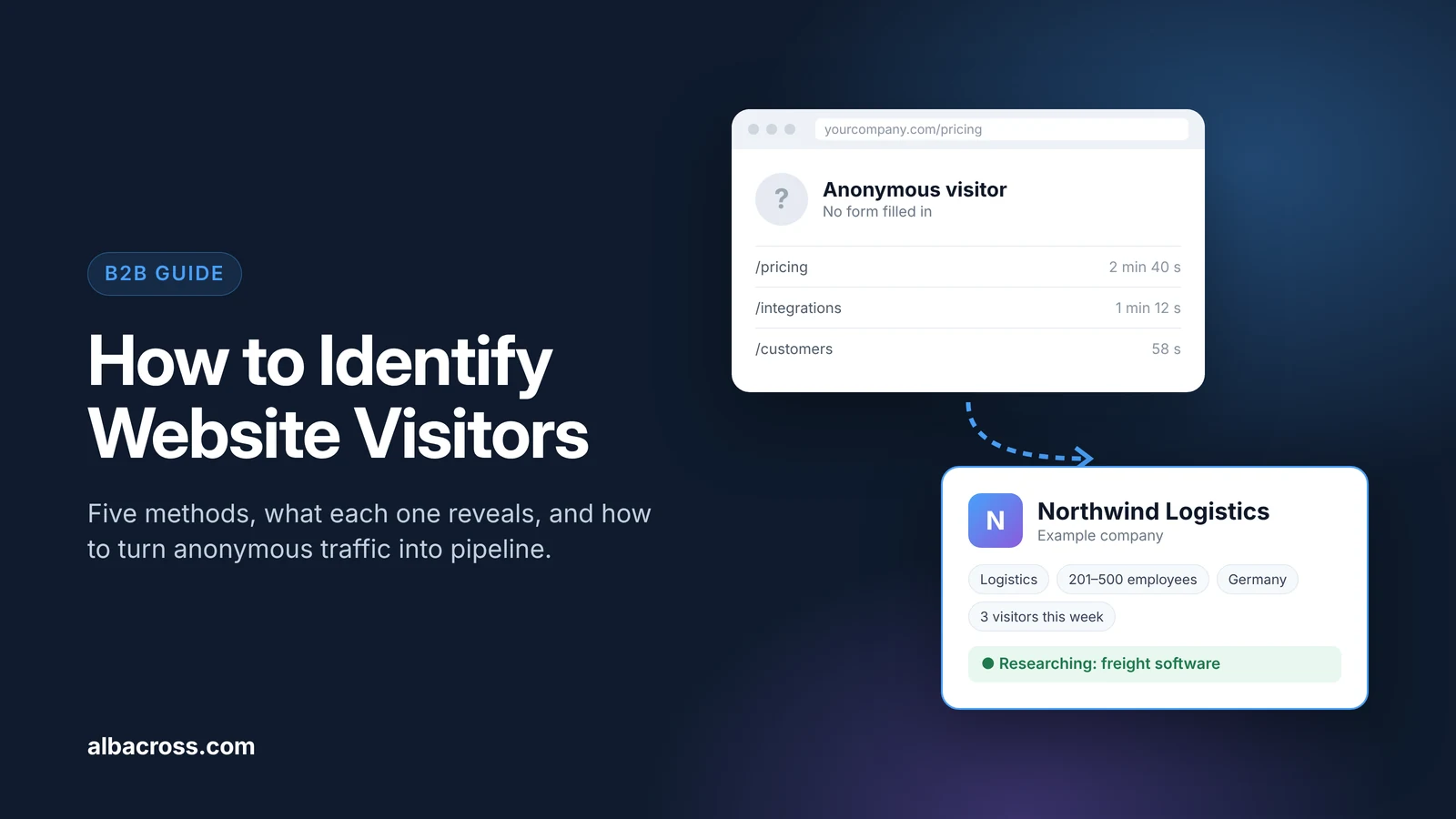
You can identify website visitors in five ways: ask them through forms and chat, recognize known contacts from your email and CRM, match visiting companies through their IP address, match individual people with person-level tools, and add third-party intent data. For most B2B teams, the practical combination is company-level identification for anonymous traffic plus contact tracking for people who are already in your CRM. This guide explains how each method works, what it can and cannot tell you, what is legal, and how to turn the data into pipeline.
Why Most Website Visitors Stay Anonymous
Most people who visit a B2B website never fill in a form. They read your pricing, check your integrations, look at a case study and leave. Some come back later, often from a colleague's laptop. Your analytics tool counts these visits, but it does not tell you who they were.
That is a problem because anonymous visitors are often your best prospects. A company that reads your pricing page three times in a week is further along than most leads in your CRM. Website visitor identification closes that gap by showing which companies, and sometimes which people, are behind the traffic.
What You Can and Cannot Learn About a Visitor
Before choosing a method, it helps to be clear about what is realistic:
- You can usually learn: the company behind many business visits, its industry, size and location, the pages viewed, how often the company returns, and which traffic source brought it.
- You can sometimes learn: the name of an individual, if they filled in a form before, clicked a tracked email, or (in the US only) were matched by a person-level tool.
- You generally cannot learn: the identity of a person browsing from home or a mobile network who has never shared their details with you. No tool identifies every visit.
5 Ways to Identify Website Visitors
1. Forms, Chat and Gated Content
The most reliable way to identify someone is to let them identify themselves. Demo requests, free trial sign-ups, newsletter forms, gated guides and live chat all capture a name and email address with consent.
Best for: visitors who are ready to talk. Limit: only a small share of visitors ever fill in a form, so this method misses most of your traffic.
2. Known-Contact Tracking in Your Marketing Automation
Tools such as HubSpot, Marketo and Salesforce Account Engagement (formerly Pardot) place a tracking cookie on the visitor's browser. When someone submits a form or clicks a tracked link in one of your emails, the tool links that cookie to their contact record. From then on, you can see which pages that person views.
Best for: seeing what existing leads and customers are researching. Limit: it only works for people already in your database, on the same browser, and only after they accept cookies where consent is required.
3. Company-Level Identification (Reverse IP)
When someone visits from an office or company network, their IP address often belongs to that company. A website visitor identification tool uses reverse IP lookup to match the IP address to a company, filters out home and mobile internet providers, and shows you the company name, its firmographics and the pages its employees viewed.
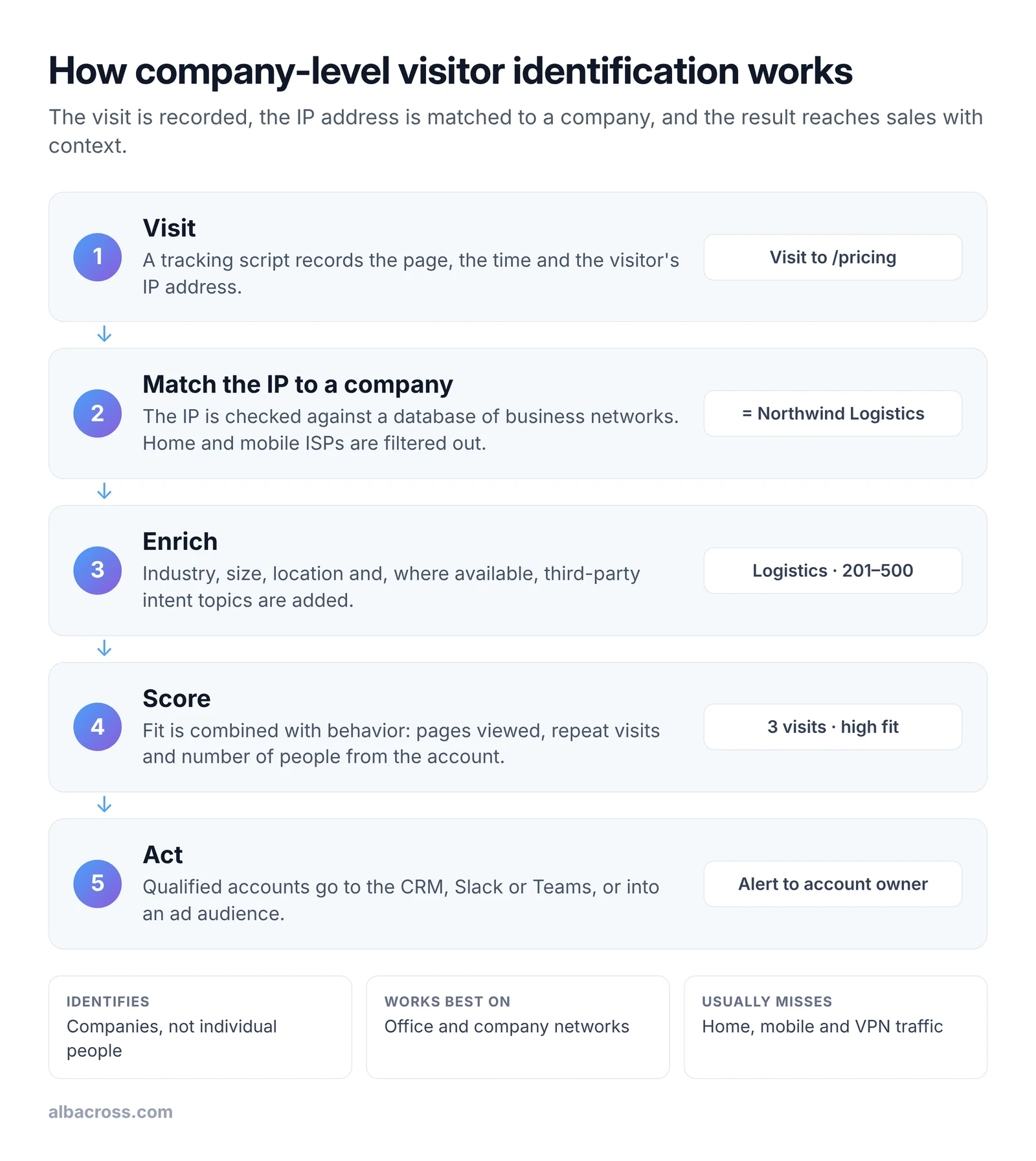
Best for: finding the accounts behind anonymous B2B traffic, without needing personal data. Limit: it identifies companies, not people, and works best on office and company networks. Remote workers on home broadband or mobile data are often not matched.
4. Person-Level Identification
Some tools try to name the individual visitor by matching browser or device data against a third-party identity graph. These tools can return a name and a LinkedIn profile, but they rely on data that people did not give to you directly. Most of them only cover US visitors, and in the EU this approach generally is not allowed without the visitor's consent.
Best for: US-focused teams that have checked the legal basis with their own counsel. Limit: regional coverage, data quality and legal risk.
5. Third-Party Intent Data
Intent data does not identify a specific visit to your site. Instead, it shows which companies are researching topics related to your product across other websites. Bombora, for example, collects research activity from a co-op of B2B websites and flags a surge when a company's research on a topic rises above its normal level. Combined with website visits, it tells you whether a visiting company is also actively researching your category. Read more in our guide to B2B buying signals.
Best for: prioritizing identified companies and spotting in-market accounts. Limit: it shows topics and companies, not individual people.
How to Identify Website Visitors Step by Step
Here is how a typical B2B team sets up company-level identification and puts it to work.
- Define your ideal customer profile. Decide which industries, company sizes and regions you sell to, so you can ignore visits from companies that will never buy. Our ideal customer profile guide shows how.
- Install the tracking script. Add the tool's script to every page, usually through Google Tag Manager or your website builder. It takes a few minutes.
- Update your privacy notice and cookie settings. Explain what you collect and why, and check whether the tool uses cookies that need consent in your region.
- Filter out noise. Exclude your own company, existing customers you do not want alerts for, competitors, students and job seekers. Focus on pages that show buying interest, such as pricing, demo, integrations and comparison pages.
- Connect your CRM and messaging tools. Send identified companies to Salesforce, HubSpot or Pipedrive, and set up alerts in Slack or Microsoft Teams.
- Score and route accounts. Combine fit (does the company match your profile?) with behavior (which pages, how often, how many people) and send accounts above a threshold to the right owner.
- Follow up within a day or two. Find the relevant decision maker, and reach out about the problem they are researching. Do not open with "I saw you on our website".
See which companies visit your website
Identify the companies behind your traffic, see what they look at, and get alerts in your CRM, Slack or Teams.
Start free trialHow Accurate Is Website Visitor Identification?
Accuracy depends on how your visitors connect to the internet, not only on the tool. Expect:
- Higher match rates for visitors from larger companies with their own office networks, and for B2B sites where most traffic comes during working hours.
- Lower match rates for remote workers, mobile traffic, VPNs, very small businesses and consumer-heavy sites.
- Some wrong matches from shared offices, co-working spaces and hosting providers. Good tools filter these, and you should spot-check a sample of matches during your trial.
The best test is your own traffic. Run a trial, look at the companies it finds, and check whether they match accounts you recognize.
Is It Legal to Identify Website Visitors?
Yes, if you do it the right way. Rules differ by region, so check with your own legal team, but the main points are these:
- In the EU and UK (GDPR): IP addresses can count as personal data, so you need a legal basis, usually legitimate interest for company-level identification, and a clear privacy notice. Cookies and similar tracking that store data on the visitor's device need consent unless they are strictly necessary. Identifying named individuals without their consent is generally not allowed.
- In the US: state privacy laws such as California's CCPA require a clear privacy notice and a way to opt out of the sale or sharing of personal information. Person-level tools are more common in the US, but you still need to follow these rules and any industry-specific ones.
- Everywhere: collect only what you need, keep it secure, and give people a way to object.
Company-level identification is the lowest-risk option because it is about organizations, not people.
What to Do Once You Know Who Is Visiting
- Prioritize sales outreach to target accounts that show strong buying signals, such as repeat pricing page visits.
- Warm up outbound. Add visiting accounts to sequences with messages about the topic they researched. Our outbound framework shows how.
- Run account-based ads. Turn identified companies into LinkedIn audiences so the buying committee sees you while they research. See account-based marketing with Albacross.
- Nurture accounts that are not ready yet. Keep them in a lead nurturing track and alert sales when they come back.
- Measure what works. Track how many identified accounts become meetings, opportunities and customers.
How to Choose a Website Visitor Identification Tool
Use these questions to compare tools on your own traffic:
- Coverage: how well does it identify companies in the countries you sell to?
- Company or person: do you need company-level data, or do you sell in the US and want person-level matches too?
- Compliance: where is the data processed, and how does the vendor handle GDPR?
- Intent data: can it tell you which visiting companies are also researching your category?
- Integrations: does it send data to your CRM, Slack, Teams and ad platforms?
- Pricing: is pricing public, and is there a free trial so you can test on your own traffic?
If you are comparing specific vendors, see our side-by-side pages for Lead Forensics, Clearbit and 6sense.
How Albacross Helps
Albacross identifies the companies visiting your website and shows what they look at. Identify matches visits to companies and adds firmographics. Signal combines website activity with Bombora intent data to show which accounts are in market. Alerts go to your CRM, Slack or Teams, and you can turn high-intent accounts into LinkedIn audiences for account-based ads.
Albacross identifies companies, not individuals, so it is built for GDPR. Try it free for 14 days, no credit card needed.
Frequently Asked Questions
Can I see who visits my website?
You can see which companies visit through company-level identification, and which known contacts visit through your marketing automation tool. You cannot see the name of every anonymous person, and no tool identifies every visit.
Can I identify individual visitors, not just companies?
Only in some cases. People who filled in a form or clicked a tracked email can be recognized in your marketing automation tool. Person-level identification tools can name some anonymous visitors, but most only cover the US, and in the EU this generally needs the visitor's consent.
Can Google Analytics identify website visitors?
No. Google Analytics 4 shows traffic, sources and behavior in aggregate, but it does not show company names or individual identities. Google removed the network domain and service provider reports in 2020, so you need a visitor identification tool for company names.
Is it legal to identify website visitors?
Yes, with the right setup. Company-level identification is generally possible under GDPR with a legitimate interest basis and a clear privacy notice. Identifying individuals without consent is generally not allowed in the EU. In the US, follow state privacy laws such as the CCPA.
Can someone tell if I visited their website?
The site owner can see that someone visited. If you browse from a company network, a visitor identification tool may show your company name. If you are already in their CRM, for example because you clicked one of their emails, they may see your visit on your contact record. A VPN or home network makes company-level matching less likely.
How accurate is website visitor identification?
It depends on your traffic. Visitors from company networks are matched far more often than visitors on home broadband, mobile data or VPNs. Test a tool on your own traffic during a free trial and spot-check the matches.
Can I identify website visitors for free?
Partly. Forms, chat and the free tiers of marketing automation tools identify people who share their details. Company-level identification usually needs a paid tool, but most offer a free trial, so you can see results on your own traffic before you pay.
Further Reading

Marcus Svensson
Head of Growth

 Overview only the features needed for your use case
- Show how to adapt it to your customer qualification process


