

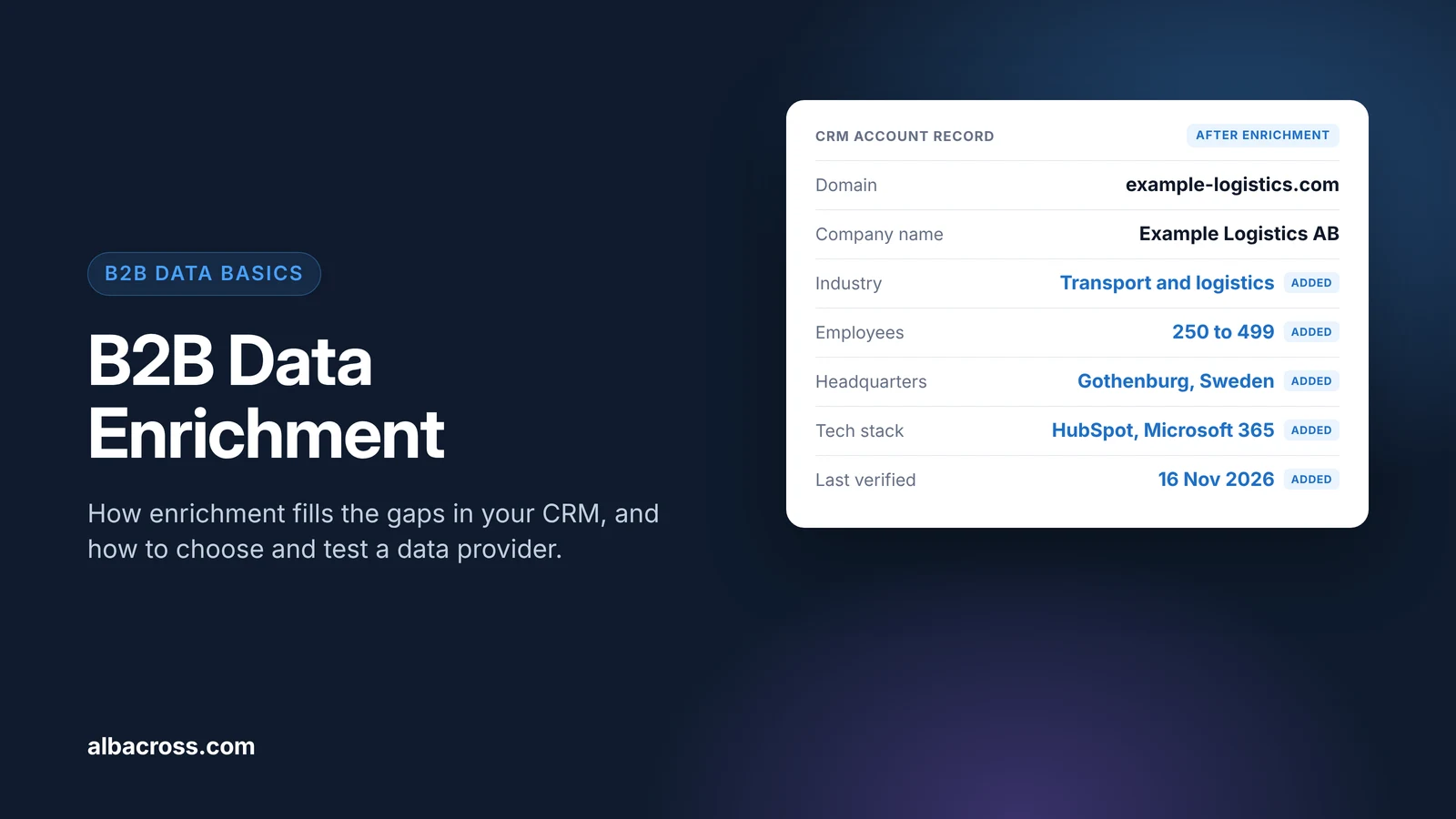
B2B data enrichment is the process of adding missing or outdated information to the company and contact records you already have, such as industry, employee count, location, technology stack, job title or a verified work email. You start from an identifier you trust, usually a company domain or a work email, a data provider matches it to its own records, and the extra fields are written back into your CRM so sales and marketing can segment, score and route accurately. This guide explains how enrichment works step by step, which fields are worth enriching, how to test a provider on your own data before you buy, and what GDPR requires when you enrich data about people.
What B2B Data Enrichment Covers
Enrichment works on two kinds of record, and most teams need both:
- Account (company) enrichment adds facts about the organization: industry, size, revenue band, headquarters, markets, ownership and the tools it uses. This is firmographic and technographic data.
- Contact (person) enrichment adds facts about an individual at that company: job title, seniority, department, work email and phone number.
The difference matters for two reasons. Company facts change slowly and are usually easier to verify, while contact details go out of date every time someone changes jobs. And company data is generally not personal data under GDPR, while contact details are, which changes what you have to do legally (see the GDPR section below).
How Data Enrichment Works
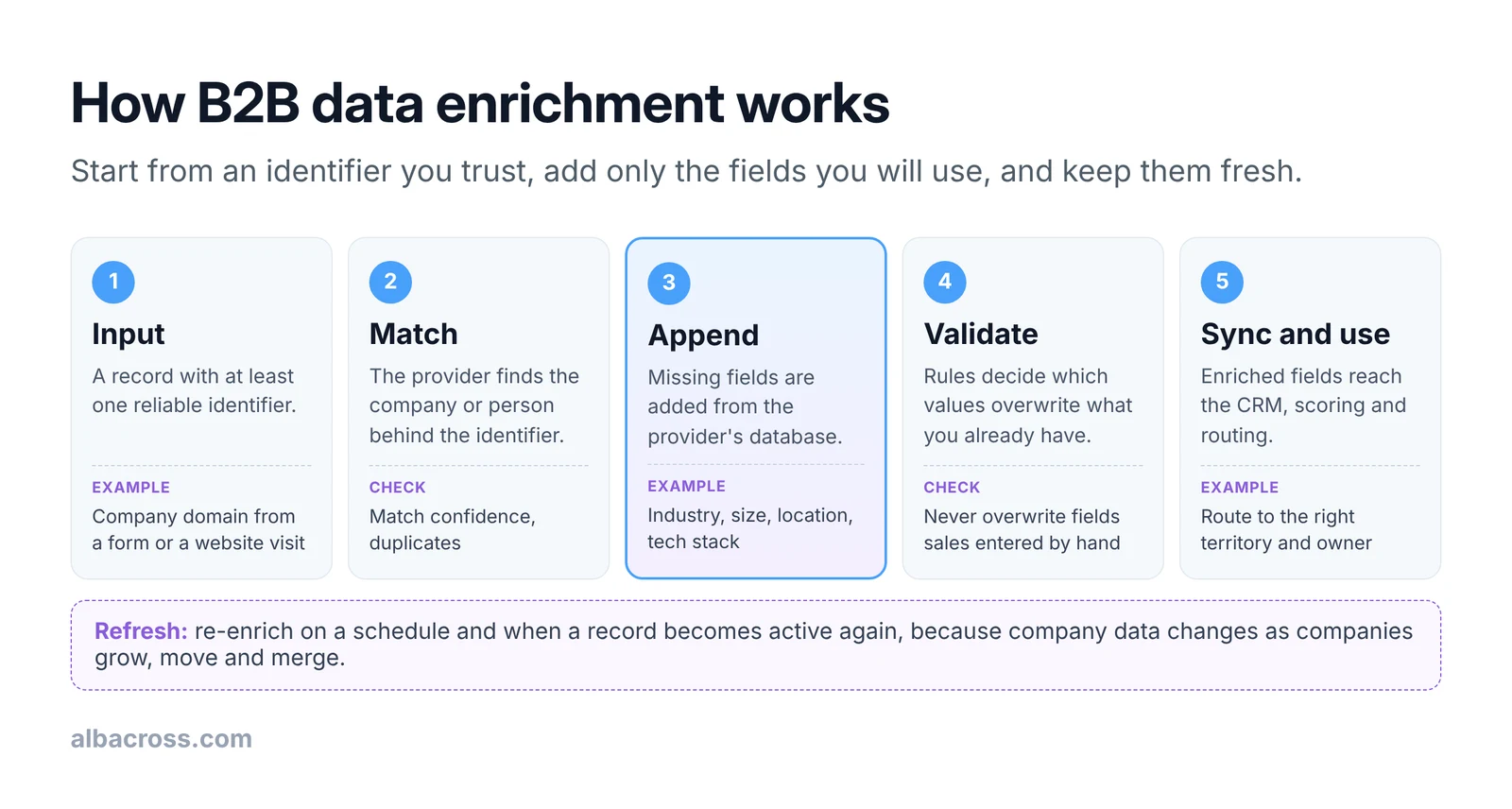
- Input. Every enrichment starts from an identifier. The company domain is the most reliable for account enrichment, because it is unique and rarely changes. Company names are weaker, since many companies share similar names. For contacts, a work email is the strongest starting point.
- Match. The provider looks up the identifier in its database and returns the record it believes belongs to it. Good providers return a confidence level or leave the field empty when they are unsure, rather than guessing.
- Append. The fields you asked for are added. Ask only for fields you will actually use in segmentation, scoring or routing; every extra field is something to keep accurate.
- Validate. Rules decide what happens when the provider's value differs from the value already in your CRM. This is the step most teams skip, and it is where enrichment does damage, for example by overwriting an industry that a sales rep corrected by hand.
- Sync and use. The enriched fields flow into the CRM and from there into lead scoring, territory assignment and campaign lists.
Enrichment can run in three ways: in bulk on an existing database, in real time when a new lead or account is created (for example from a form or a website visit), or on a schedule to refresh records that have not been checked for a while. Most teams use all three.
Which Fields to Enrich: A Checklist
Use this table to decide what to request. The "Reliability" column describes how these fields typically behave, so you know where to expect gaps.
| Field | Record | Used for | Reliability | Overwrite rule |
|---|---|---|---|---|
| Company domain | Account | Matching, deduplication | High; the key everything else hangs on | Never overwrite |
| Legal company name | Account | Deduplication, contracts | High from registries | Fill if empty |
| Industry | Account | Segmentation, messaging | Medium; providers label differently | Fill if empty; never overwrite a value sales set |
| Employee range | Account | ICP fit, scoring, territories | Medium; often estimated for private companies | Overwrite if older than 6 months |
| Revenue band | Account | Tiering, pricing | Exact for listed companies, modeled for private ones | Fill if empty |
| Headquarters country | Account | Territory routing, compliance | High | Overwrite if older than 6 months |
| Technology stack | Account | Integration fit, competitor displacement | Medium; detected from websites, so internal tools are often missing | Overwrite on each refresh |
| Job title and seniority | Contact | Persona, scoring | Medium; goes stale when people change roles | Overwrite on each refresh |
| Work email | Contact | Outreach | Varies; verify before sending | Fill if empty; never replace one the person gave you |
| Last verified date | Both | Knowing what to refresh | Set by you | Update on every enrichment |
The last row is the one most CRMs lack. Without a "last verified" date you cannot tell a record checked last week from one that has not been touched in three years.
Types of Data Enrichment Tools
Enrichment tools fall into a few groups. Each has real strengths and real limits, and many teams combine two of them.
| Type | How it works | Strength | Limit |
|---|---|---|---|
| Contact and company databases | A provider's own database, searched through an app, a CRM integration or an API | Broad coverage of companies and contacts in one place | Coverage and accuracy vary by country and company size; usually priced per credit or seat |
| Enrichment APIs | You send a domain or email and get structured fields back | Fits into your own workflows and products | Needs engineering time to build and maintain |
| Waterfall or orchestration tools | Query several providers in turn until a field is found | Higher fill rates than a single source | More vendors to manage, and costs add up per lookup |
| CRM-native enrichment | Enrichment built into the CRM itself | No extra integration, data stays in one system | Tied to that CRM, and fields are limited to what it offers |
| Website visitor identification | Identifies the companies visiting your website and attaches company data to each visit | Enriches accounts that have not filled in a form, and adds behavior data | Account-level: it does not tell you which person visited |
How to Test a Data Enrichment Provider
Accuracy claims in sales decks are hard to compare, because every provider measures them differently. A test on your own records tells you more. This takes a few hours and works for any provider:
- Build a known sample. Take 200 to 500 records where you already know the right answer: current customers, closed deals and accounts sales has worked recently. Include the countries and company sizes you sell to, not just large US companies.
- Hide the answers. Send the provider only the identifier (the domain or the work email), not the fields you want to test.
- Measure fill rate. For each field, count how many records came back with a value.
- Measure accuracy. Compare the returned values with what you know. Count a value as correct only if you would be happy to route or score on it.
- Calculate usable rate. Fill rate multiplied by accuracy gives the share of records you can actually use. This is the number to compare across providers.
- Check the cost per usable record. Divide the price of the test (or the expected annual price) by the number of usable records.
Worked example
The following example is illustrative. A team sells to mid-sized companies in the Nordics and Germany and tests two providers on the same 400 known accounts, looking at employee range and industry.
| Measure | Provider A | Provider B |
|---|---|---|
| Employee range filled | 360 of 400 (90%) | 300 of 400 (75%) |
| Employee range correct, of those filled | 252 of 360 (70%) | 270 of 300 (90%) |
| Usable employee range | 252 (63%) | 270 (68%) |
| Industry filled | 380 of 400 (95%) | 340 of 400 (85%) |
| Industry correct, of those filled | 285 of 380 (75%) | 306 of 340 (90%) |
| Usable industry | 285 (71%) | 306 (77%) |
Provider A looks better on fill rate, but Provider B gives more usable records, because fewer of its values are wrong. A wrong value is worse than an empty one: an empty field gets checked, while a wrong one quietly sends the account to the wrong territory or score. Run the same test again after six months to see how each provider keeps up.
B2B Data Enrichment and GDPR
Enriching company records is generally not a GDPR question, because the rules cover personal data, not data about companies (we cover this in more detail in our firmographic data guide). Enriching contact records is different: a name, job title or work email is personal data, and two parts of the GDPR apply directly.
- Accuracy. Article 5(1)(d) requires personal data to be "accurate and, where necessary, kept up to date", and says "every reasonable step must be taken" to make sure inaccurate data is "erased or rectified without delay". Regular refreshes and a "last verified" date help you show that.
- Telling people. When you get personal data from a source other than the person, Article 14 says the controller must give them information, including "the categories of personal data concerned" and "from which source the personal data originate". It must be provided "within a reasonable period after obtaining the personal data, but at the latest within one month" (with some exceptions in the Article).
In practice that means: enrich only the contact fields you need, record which provider each field came from, keep a lawful basis for the processing (many B2B teams use legitimate interest, backed by an assessment), make your privacy notice cover enrichment, and ask each provider how it collected the data and whether it will sign a data processing agreement. Check the details with your own legal team.
Common Data Enrichment Mistakes
- Enriching everything. Buying 60 fields when your scoring uses six adds cost and more data to keep accurate.
- No overwrite rules. Letting the provider overwrite values sales corrected by hand destroys trust in the CRM.
- Matching on company name. Names are ambiguous. Match on domain wherever you can.
- Enriching once. Records drift as companies grow, move and merge. Set a refresh schedule, for example every six months for active accounts.
- Judging providers on fill rate alone. Measure usable rate on a known sample instead, as in the worked example.
- Forgetting the source. Without a record of where each field came from, you cannot answer a data subject's question or fix a bad provider.
How Enrichment Feeds Scoring and Routing
Enrichment is rarely the goal in itself. It makes three things possible:
- Scoring. Fit points for size, industry and region only work if those fields are filled in. Our lead qualification guide includes a scoring model built on them.
- Routing. Country and employee range decide which rep or team owns an account. Empty fields mean leads sit unassigned.
- Segmentation. Campaign lists and ABM tiers depend on clean industry and size data. See how to build an ideal customer profile from it.
How Albacross Enriches Account Data
Albacross identifies the companies visiting your site, and every account arrives with firmographic and technographic context: industry, employee count, revenue and tech stack. That enriches accounts that have not filled in a form yet. Albacross Automate syncs companies, intent and visit history into HubSpot, Salesforce, Pipedrive and Attio, and Albacross Signal can enrich CRM records with a fit score, intent level and engagement history automatically.
See which companies visit your website.
Frequently Asked Questions
What is B2B data enrichment?
B2B data enrichment means adding missing or outdated information to your company and contact records, such as industry, company size, location, tech stack, job title or work email, by matching them against a data provider's records.
What is the difference between data enrichment and data cleansing?
Data cleansing fixes what is already in your database: duplicates, typos and wrong formats. Data enrichment adds new information from an outside source. Most teams clean first, because enriching duplicates or broken domains wastes credits.
What is the difference between company and contact enrichment?
Company enrichment adds facts about the organization, such as industry, size and location. Contact enrichment adds facts about a person, such as job title and work email. Company data is generally not personal data under GDPR; contact data is.
How often should B2B data be enriched?
Enrich new records when they are created, and refresh existing ones on a schedule. Every six months for active accounts is a reasonable starting point, plus a refresh when a dormant account becomes active again.
How do I measure the accuracy of a data enrichment provider?
Test it on 200 to 500 records where you already know the right answers. Send only the identifier, then compare what comes back. Multiply fill rate by accuracy to get the usable rate, and compare providers on that.
Is data enrichment GDPR compliant?
It can be. Company data is generally outside GDPR. For contact data you need a lawful basis, accurate and up-to-date records (Article 5(1)(d)) and, when the data comes from a third party, you must inform people under Article 14, including where the data came from.
Further Reading

Marcus Svensson
Head of Growth

 Overview only the features needed for your use case
- Show how to adapt it to your customer qualification process


